
SupportDashboard
How do I update my Apple Small Business Program status in Superwall?
Context
When participating in Apple's Small Business Program, your proceeds cut is 15% instead of the standard 30%. To ensure your Superwall dashboard reflects the correct revenue calculations, you'll need to configure your program status in the settings.
Answer
To update your Apple Small Business Program status in Superwall:
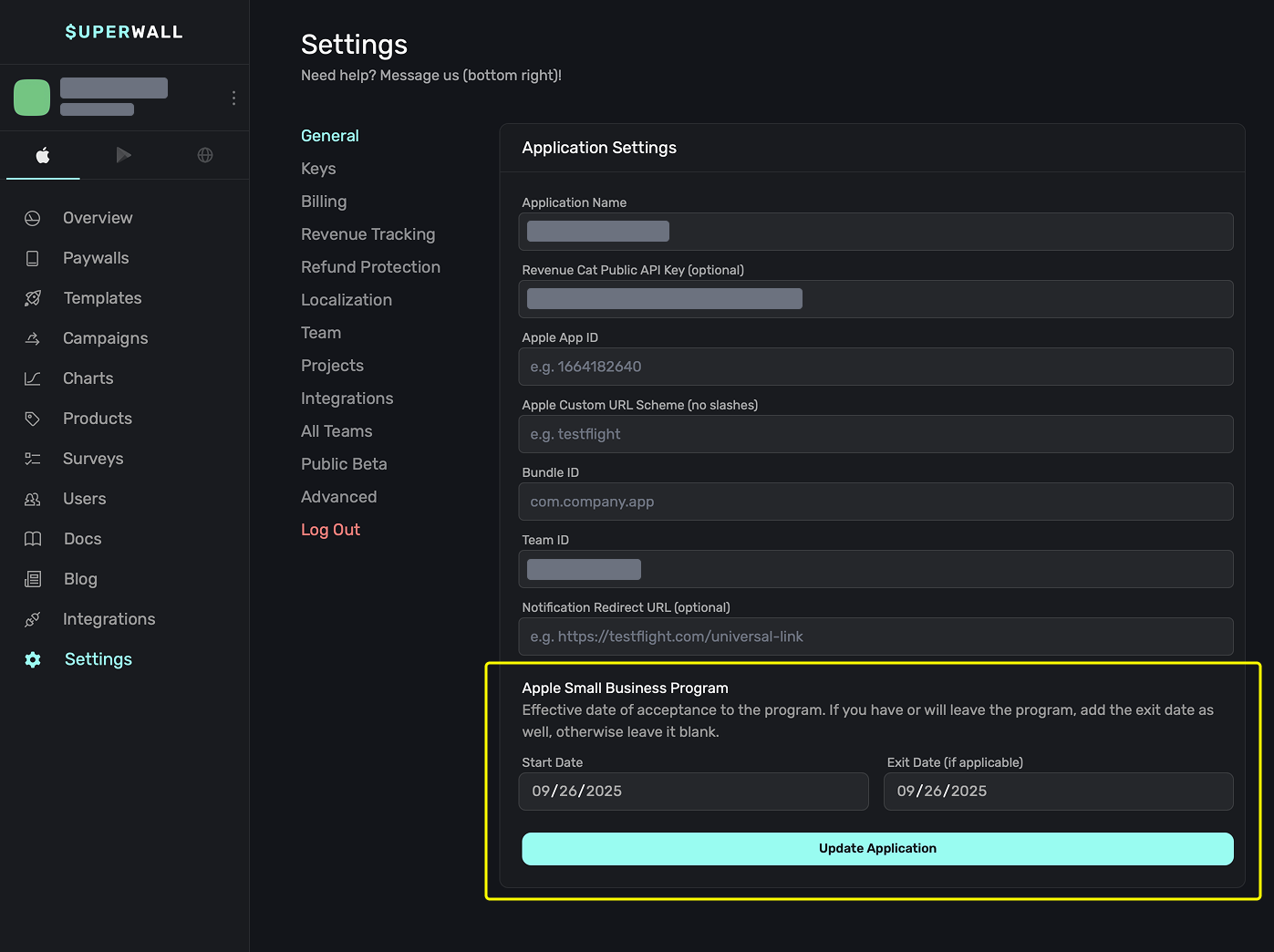
- Navigate to Settings/General in your Superwall dashboard
- Locate the Apple Small Business Program section
- Enter your program start date, and if applicable, exit date
- Save your changes
Note: The updated proceeds cut calculation will only apply to transactions processed after you've saved these settings. Historical transactions will not be recalculated.
How is this guide?